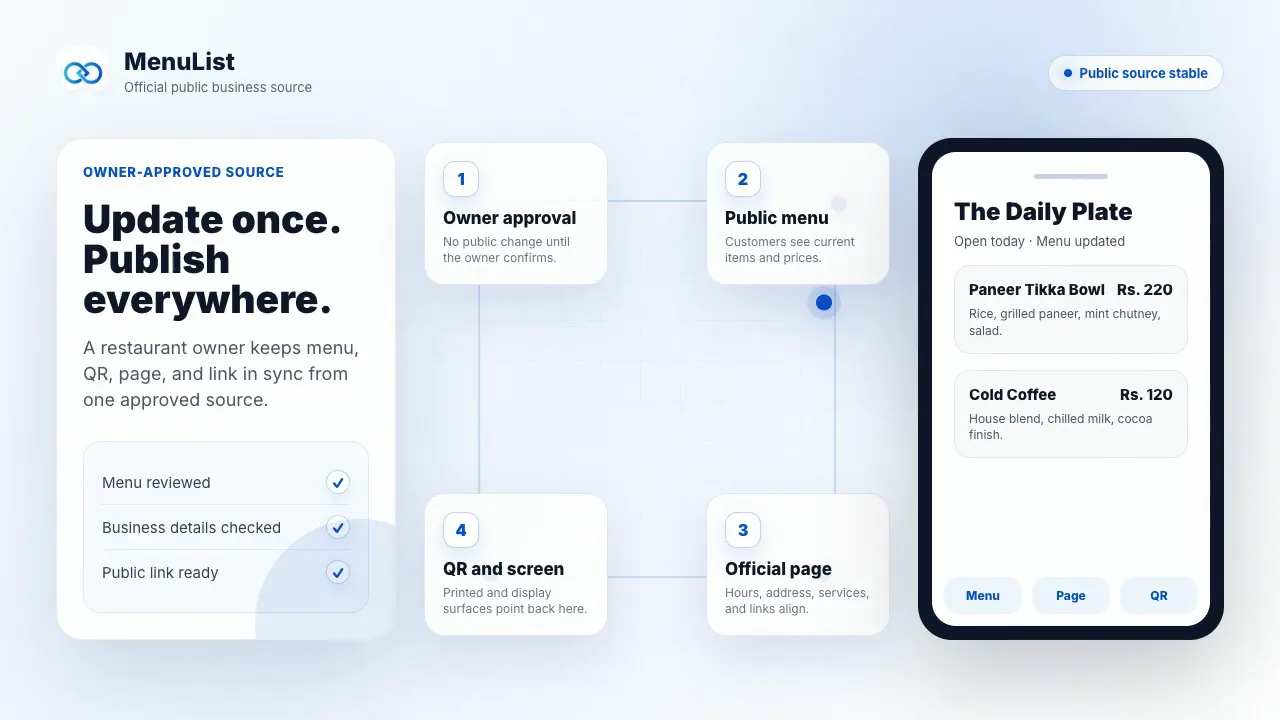
One approved list. Every customer link.
New: AI Menu ManagerUpdate your list by messageTurn your current menu or service list into
your official customer link.
Start with a clear photo or an owned public menu, service-list, image, or PDF link. MenuList prepares the customer-facing version for review and keeps every public place tied to what you approve.
Start with a 7-day setup. Review the public version before choosing a paid plan.
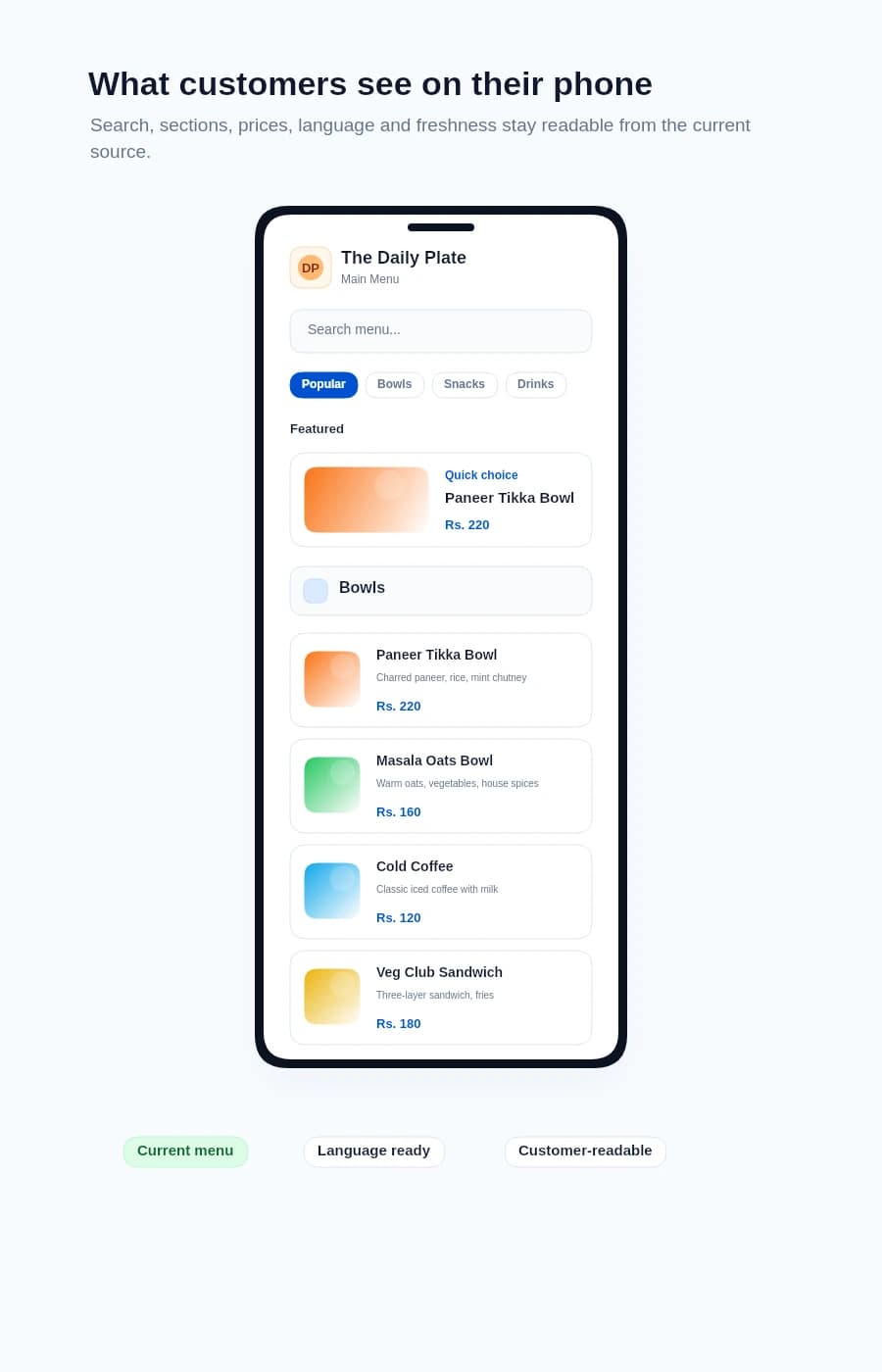
Customers find what they want faster.
A MenuList page is built for real browsing. Customers can search, jump sections, switch language, and use guided choices from the approved list before they choose.
Helpful choices guide decisions
Top picks, quick options, and value choices can appear at the top with owner controls. They help customers choose while staying attached to the approved list.
Search is always within reach
Customers can search large menus or service lists without losing their place. The search bar expands when needed and stays quiet when it is not in use.
Sections keep big menus easy
Categories behave like a clear table of contents. Customers can jump to drinks, services, lunch, desserts, or any section smoothly.
Language is part of the list
If you publish more than one language, customers can choose the one they read best on the same public list.
Current details stay visible
Business identity, open status, recent update, prices, item details, and actions all sit inside the customer-facing menu experience.
One customer link carries the useful pieces.
After review, the same approved link can support the public page, QR, print files, customer actions, owner phone view, and simple activity signals.
Official business page
Hours, contact, photos, directions, and the current list in one public place.
QR link
Table, counter, packaging, and poster QR files point to the approved version.
Print files
Paper menus, table cards, and printer handoff files can stay tied to the same list.
Customer actions
Call, WhatsApp, directions, booking, ordering, sharing, and list access stay close.
Phone dashboard
Owners can check and update the important parts from a phone-friendly view.
Activity and feedback
See what customers open and collect wrong-price or missing-item reports.
After publishing, MenuList helps keep it current.
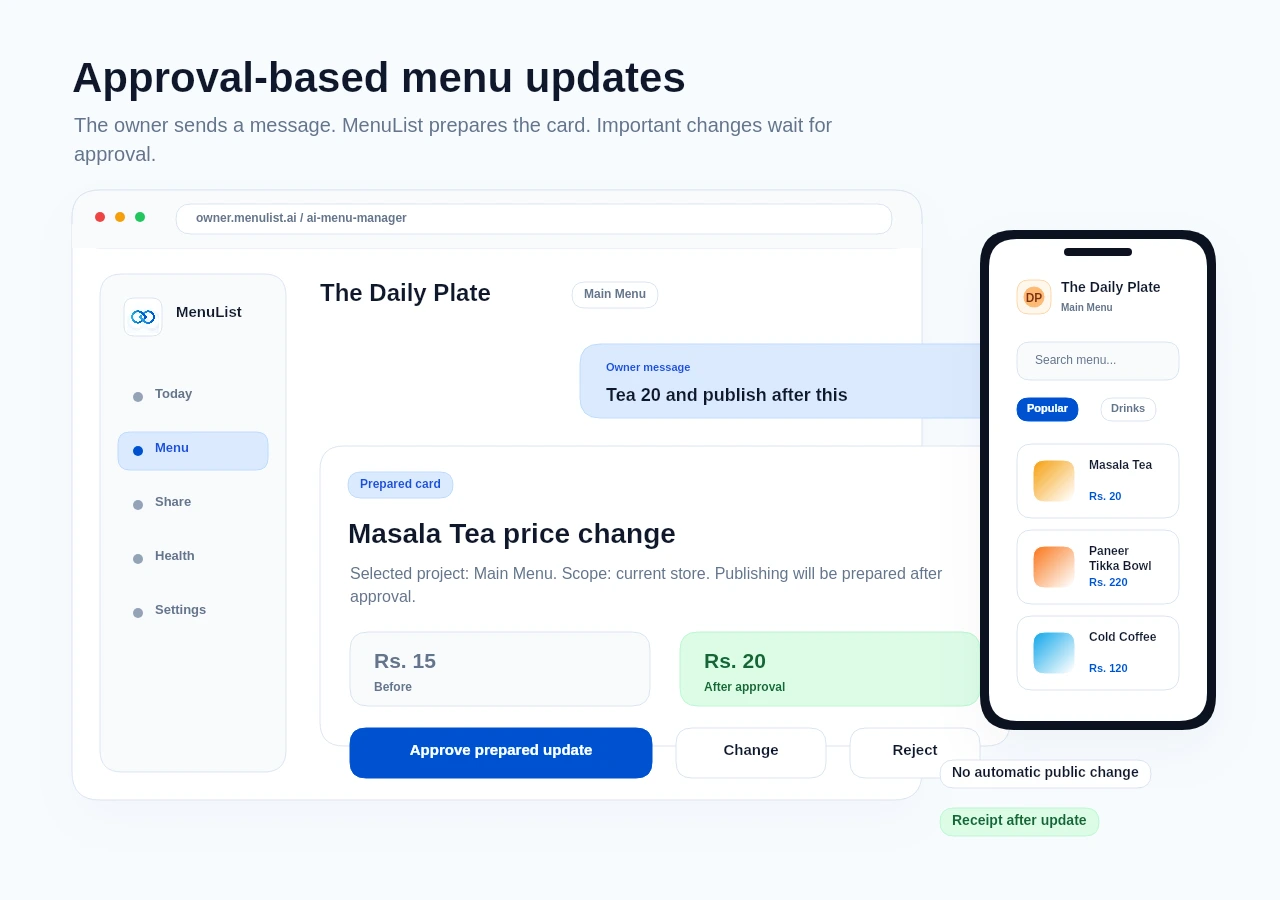
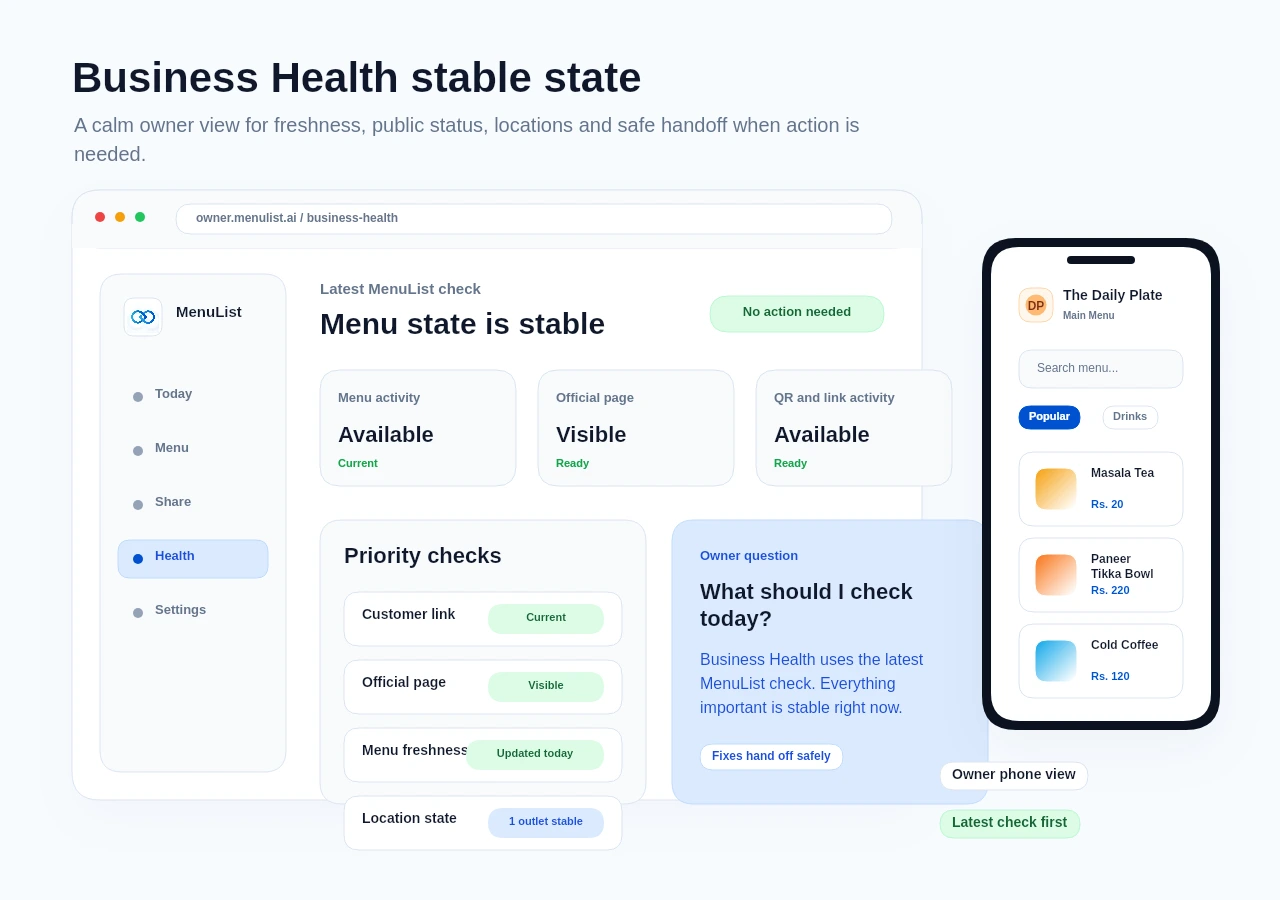
Two owner-side checks stay close to the approved list: message-based updates and a calm health check.
Check what matters
Business Health
MenuList checks the latest customer link, activity, locations, and freshness. Stable checks say No action needed.
Frequently asked questions.
The questions owners usually ask before creating a private preview.
MenuList gives your menu, service list, and business information one official customer-facing version. Public pages and related customer links stay aligned around the version you approve.
Not at all. MenuList is built for business owners, not developers. You add your items, set your prices, and publish. MenuList prepares the QR assets, formatting, and public pages around the menu you approve.
MenuList lets you start with a 7-day setup so you can review the public version before choosing a paid plan to keep the same link live and updated.
Yes. After sign-in, you can paste a public menu link you own or have permission to use. MenuList prepares a draft for review, so the link becomes a starting point rather than another public version to maintain.
No. Imported content stays in review until you approve it. If a public link cannot be read clearly, upload a clear menu or service-list photo or try another owned public link.
No. AI Menu Manager prepares cards. Important work such as prices, bulk updates, publishing, and generated images needs owner approval before it goes live.
Make one public list customers can trust.
Start from the menu or service list you already have. MenuList turns it into the official customer-facing version of your business.