Owner intent
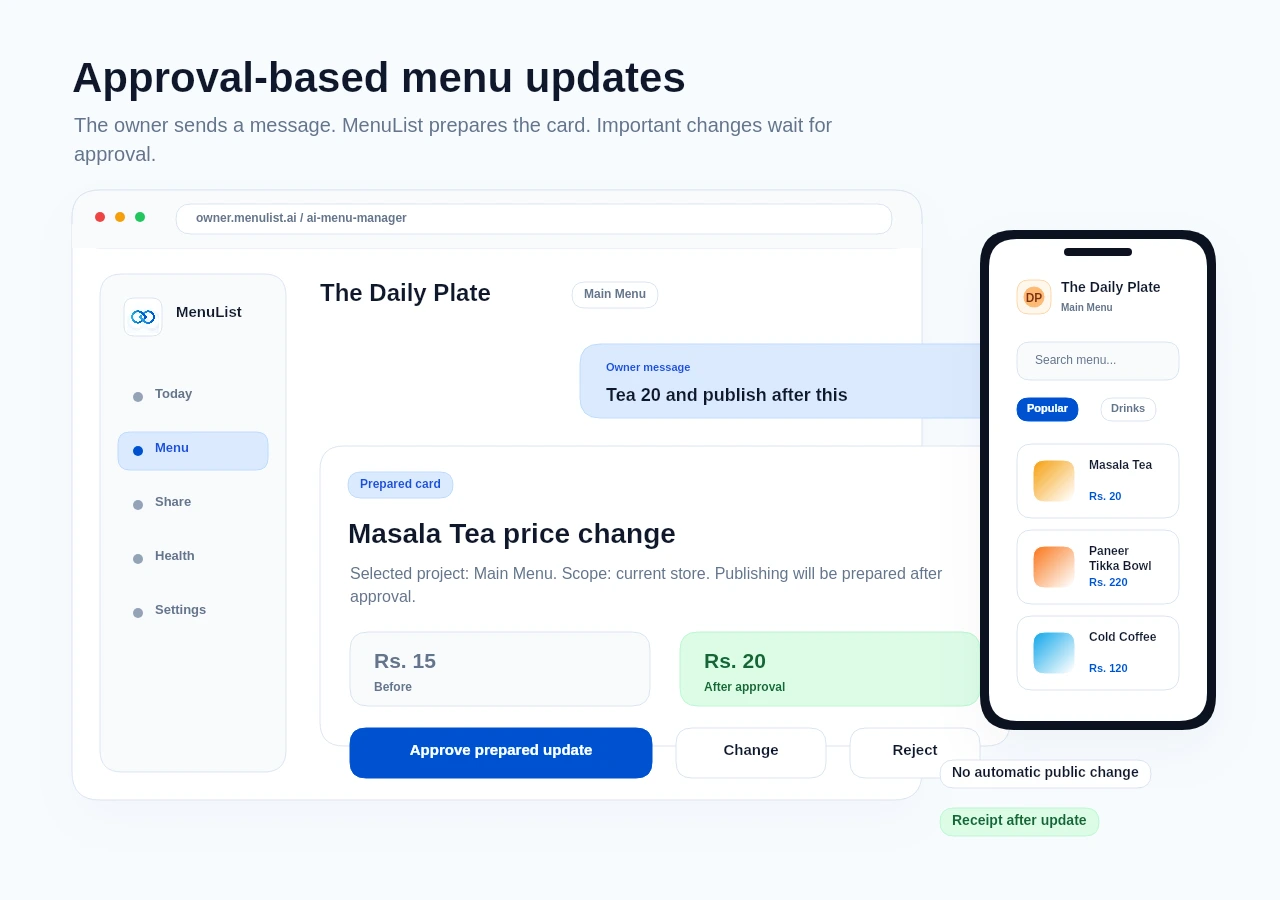
The owner types or speaks a menu change in normal language.
How it works
AI can understand the owner request, but MenuList controls what can be prepared and what can be applied.
Daily commands
Ask naturally, or choose an item, category, or menu area first when you want tighter control. Every example stays tied to the selected business and menu, and broad work is shown before approval.
Menu operations
Every supported request maps to a MenuList action. Unsupported external platforms get a clear not-supported card, not a fake done state.
Prepare single-item, selected-item, category, or bulk price, sold-out, visibility, and status cards from the selected menu.
Prepare menu notes, supported MenuList publishing work, and review/handoff cards with the right approval level.
Generate drafts and apply them only after the owner chooses to use them on the menu.
Use existing menu import and extraction review paths instead of overwriting live menu data.
Turn style requests into previewable changes using MenuList design controls.
Zomato, Swiggy, Google, Instagram, and similar destinations are not supported by AI Menu Manager.
Owner control
The feature is designed around approval, selected business/menu context, and receipts so important menu details do not change silently.
Price changes, bulk updates, publishing, generated images, and risky work require explicit owner approval.
Approved supported work uses existing MenuList save, image, import, publish, and receipt behavior.
Unsupported external posting is shown honestly as a manual step or export handoff.